
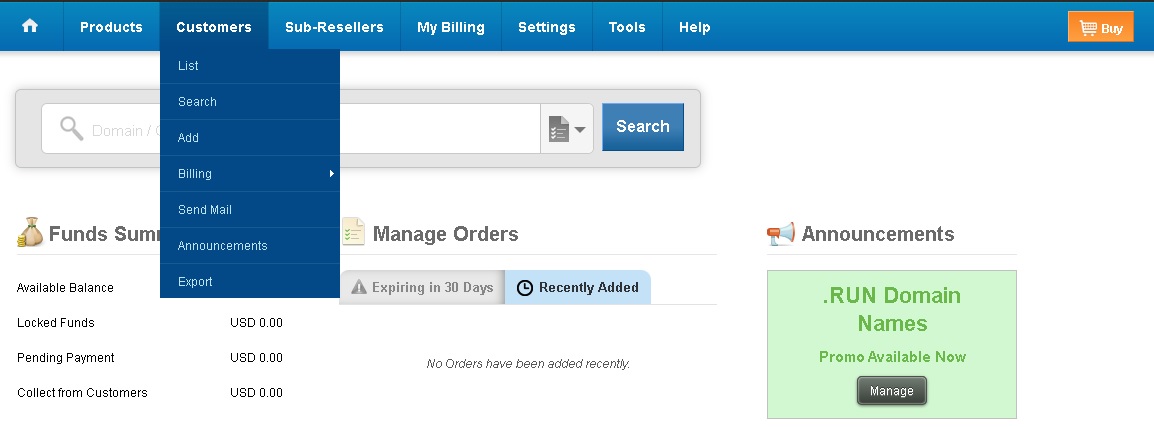
Properly managing your clients is essential to offer a professional and organized service. From the Control Panel you can register new clients, modify their data, search for them easily, send them emails and provide a personalized access URL to their panel.
Below we show you step by step how to perform each of these actions.
How to register a new client
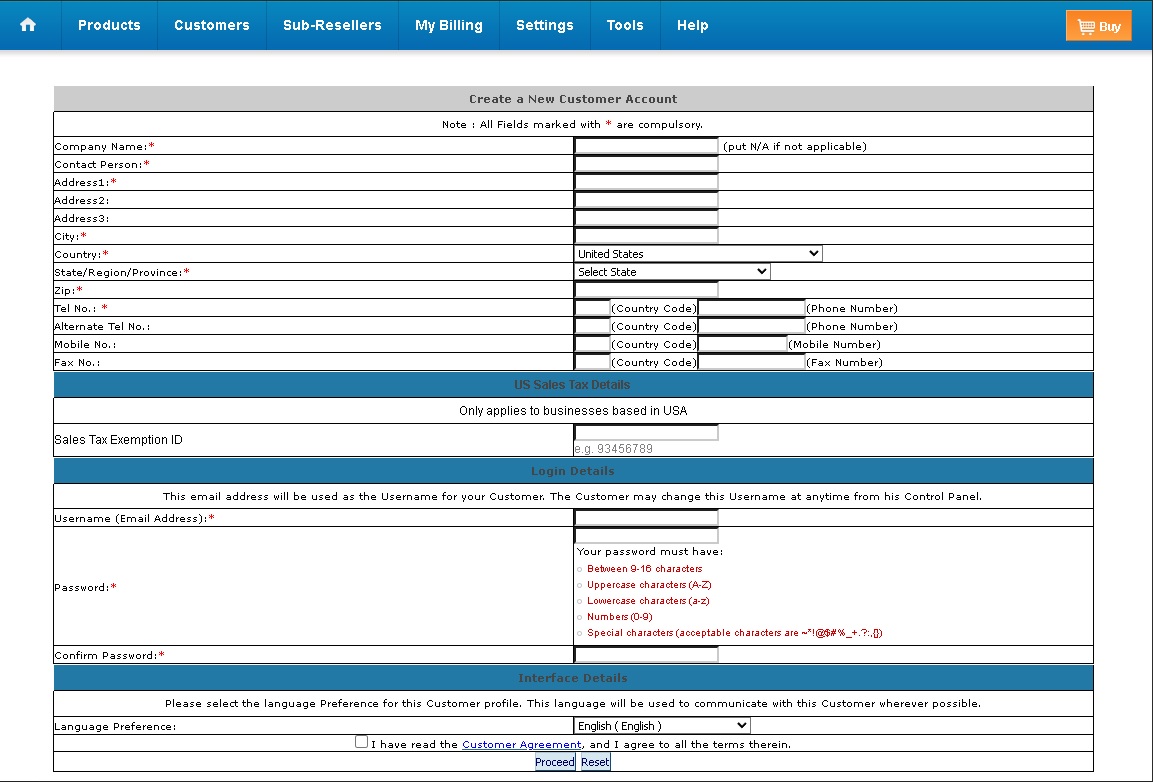
Before activating any service, it is necessary to register the client in the system:
- Log in to the Control Panel and go to the menu Clients → Add.
- Complete the client’s data (name, email, company, etc.).
- Press Proceed to finish the registration.
How to provide a personalized access URL to the client
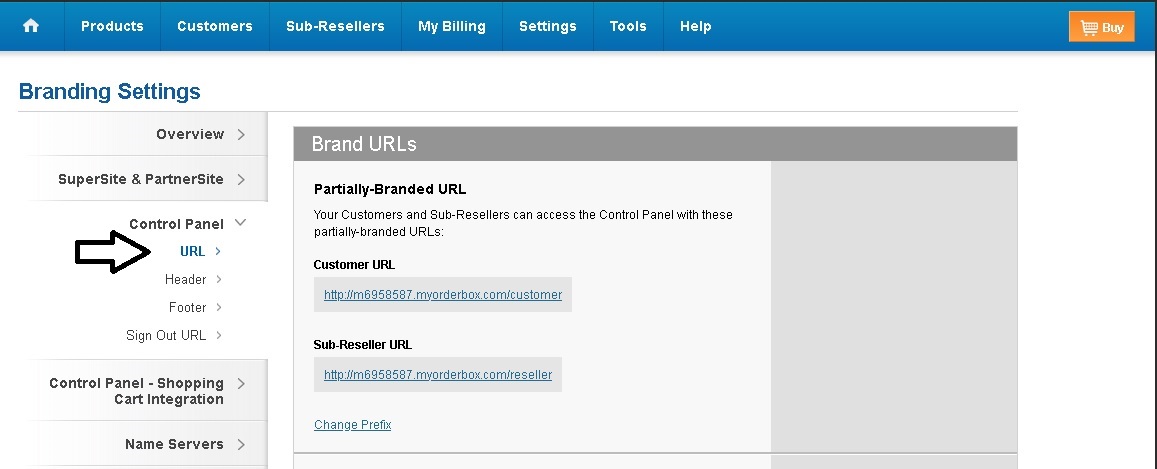
Your clients can access their control panel through a personalized URL with your brand:
- Go to the menu Settings → Brand Settings.
- Locate the section Control Panel + URL.
- If you wish, click Change prefix to customize the URL name.
How to view and modify a client’s data
- Go to the menu Clients → List.
- You will see a complete list with the client ID, name, email, company, total income, city, country and status.
- To edit the information, click on the client’s name and then press the Modify button.
How to search for a client
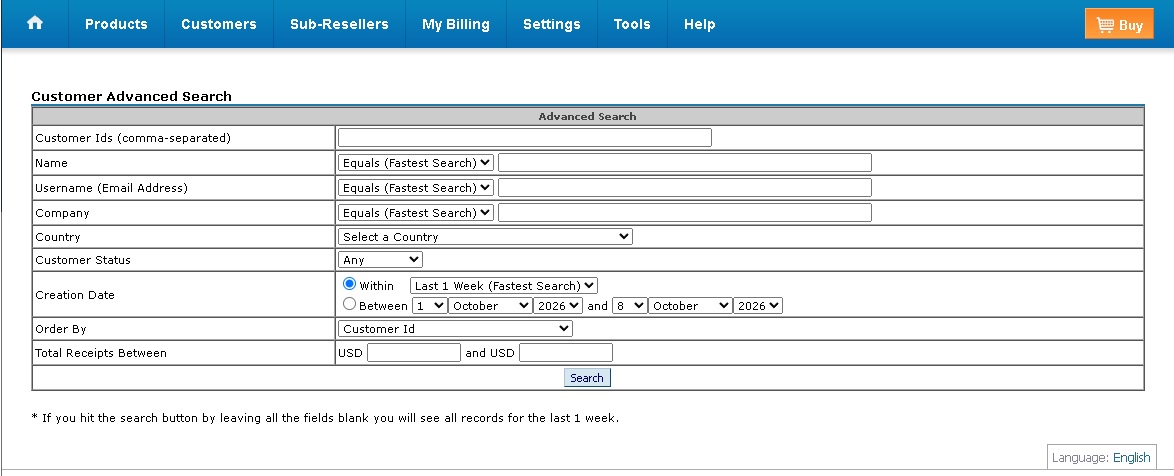
If you have many clients, the search function allows you to find them quickly:
- Go to Clients → Search.
- Set the filters you need: name, email, creation date or other criteria.
How to send an email to a group of clients
You can send communications to a specific group of clients according to the criteria you choose (for example, all clients from a specific country or city):
- Go to the menu Clients → Send email.
- Select the group or apply the desired filters and write the message.
Client transactions and billing management
From the same clients menu you can also manage the financial side:
- Go to Clients → Billing.
- From there you can list transactions, search specific movements or add funds to a client’s account.
With these tools you will have complete control over your client base, facilitating both commercial management and daily support.