
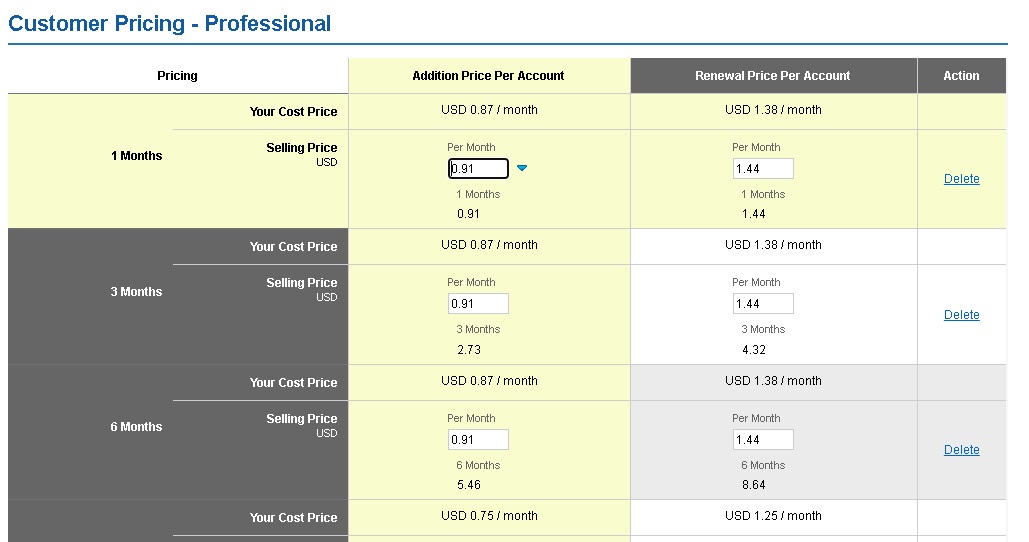
Properly configuring the prices of your services is one of the most important tasks when running a hosting and domain reseller business. From the Control Panel you can check all prices, modify them according to your commercial strategy, and decide which products you want to offer to your customers.
In this guide we show you clearly and quickly how to do it.
How to enable the sale of a service
If a service appears as unavailable for sale, you can activate it easily:
- Log in to the Control Panel and go to the menu Settings → Manage Products and Prices.
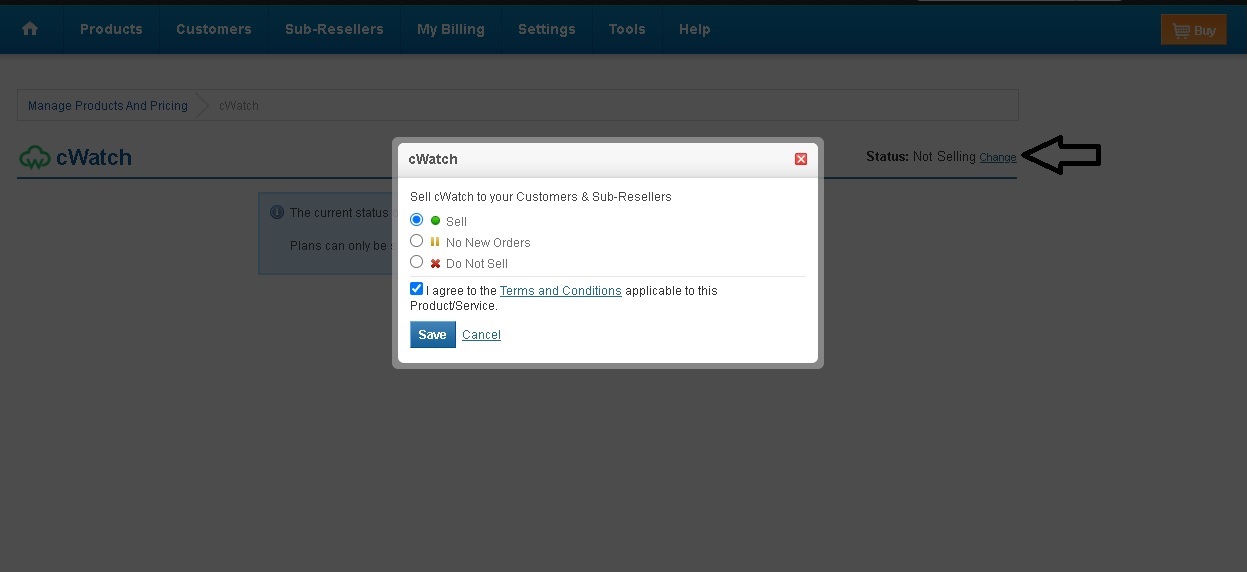
- Select the service you want to activate (for example cWatch).
- In the Status section click Change, select the option Sell and save the changes.
How to view and set selling prices
Once the service is enabled, you can check and modify its activation and renewal prices:
- Go again to Settings → Manage Products and Prices.
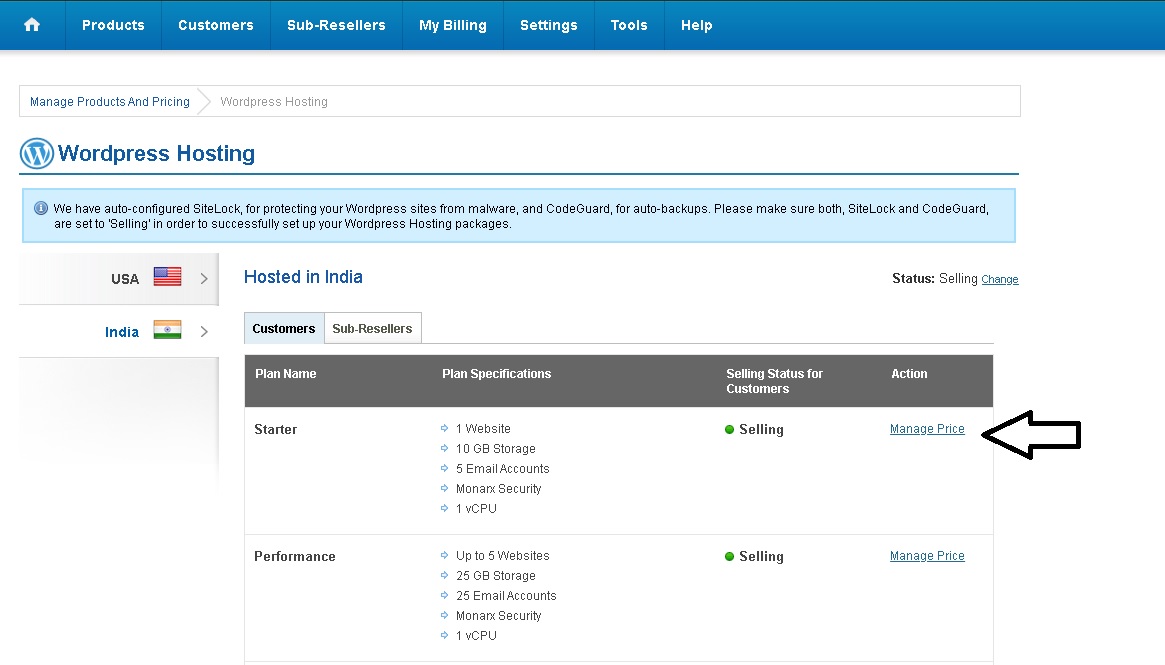
- Select the service (for example Wordpress Hosting).
- On the left side choose the server location (example: USA).
- On the right locate the desired plan and click Manage Prices.
On the next screen you will be able to:
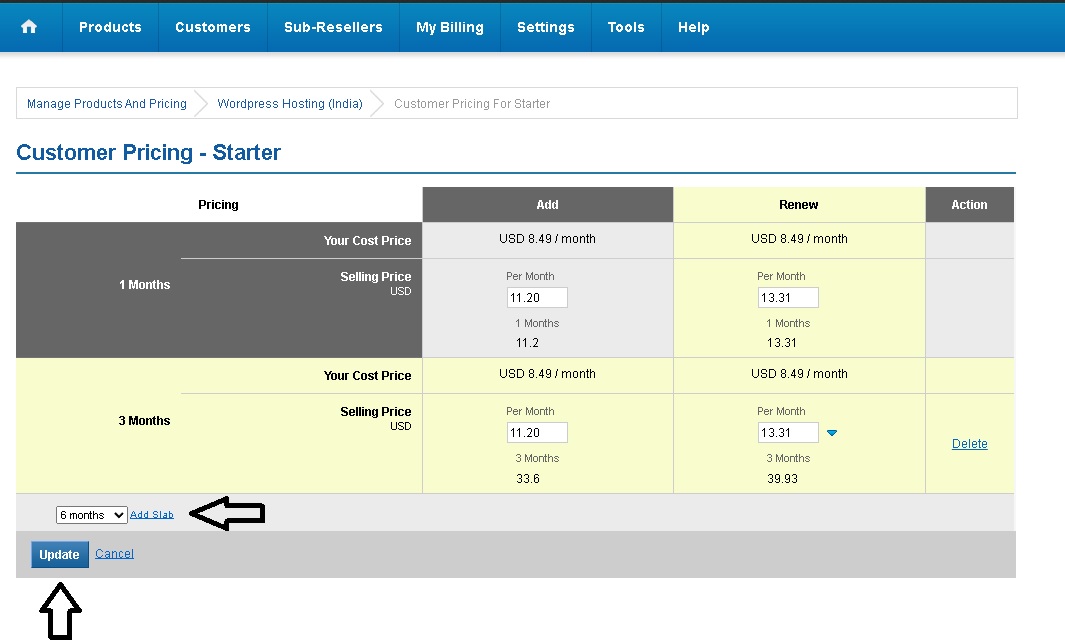
- Set the activation and renewal price.
- Add renewal options for 3, 6 or 12 months by clicking Add a base.
- Enter the new values and press Update.
Update the configuration so the changes take effect
After modifying prices or the status of any service, it is necessary to reload the cache so that the changes are displayed correctly in your store:
- Go to the menu Tools → Reload the Cache of the Supersite and Partnersite.
- Select the option All supersite and PartnerSite settings.
Done! Your prices and service availability are now updated.
Tip: Periodically review your prices and compare them with the market. Adjusting them strategically will help you stay more competitive and increase your conversions.