

Domains are one of the most profitable and competitive products in your reseller business. Correctly configuring which extensions to sell, reviewing purchase prices and setting profit margins allows you to stay competitive without losing money.
In this guide we show you how to do it clearly and in an organized way from the Control Panel.
How to view and set domain prices
- Log in to the Control Panel and go to Settings → Manage Products and Prices.
- Select the service Domain Registration and click Manage Prices.
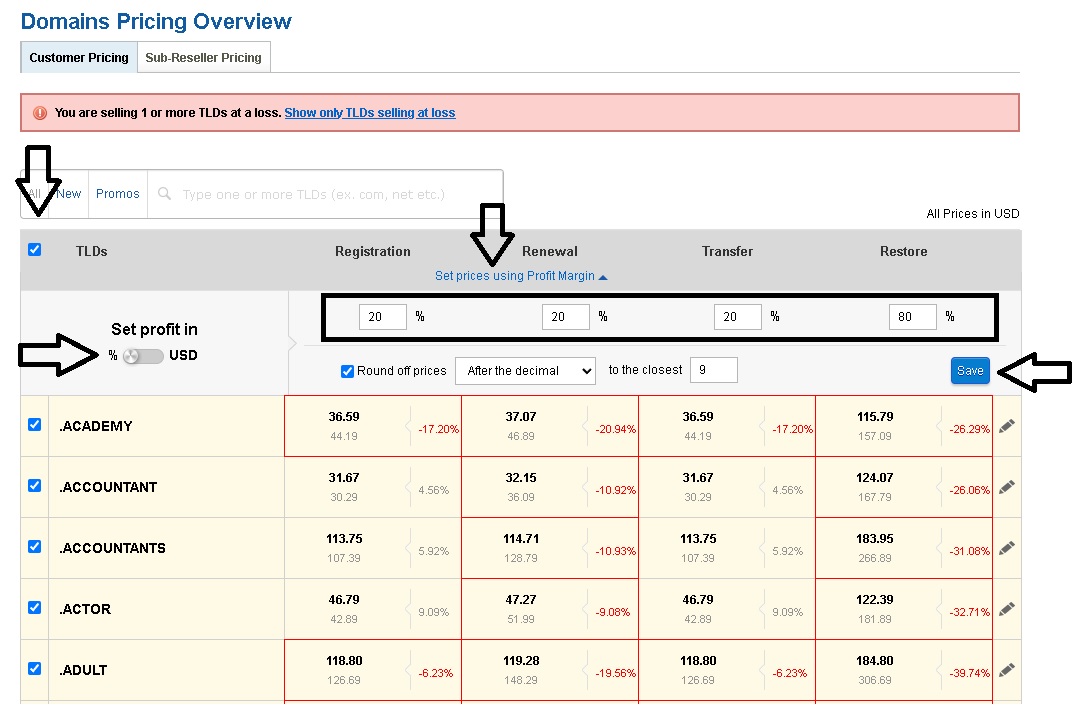
If any domain is configured with a price lower than the purchase price, you will see the alert message: “You are selling 1 or more TLDs at a loss. Show only TLDs selling at loss”. It is important to correct these prices immediately to avoid losses.
Set prices in bulk (recommended)
To apply a profit margin to all domains at once:
- Click on Set prices using Profit Margin.
- In the Set profit in option choose whether you want to apply the increase in % or in USD.
- Check the TLDs box.
- Enter the percentage or increment value and press Save.
Edit prices individually
If you only need to modify one or several specific extensions:
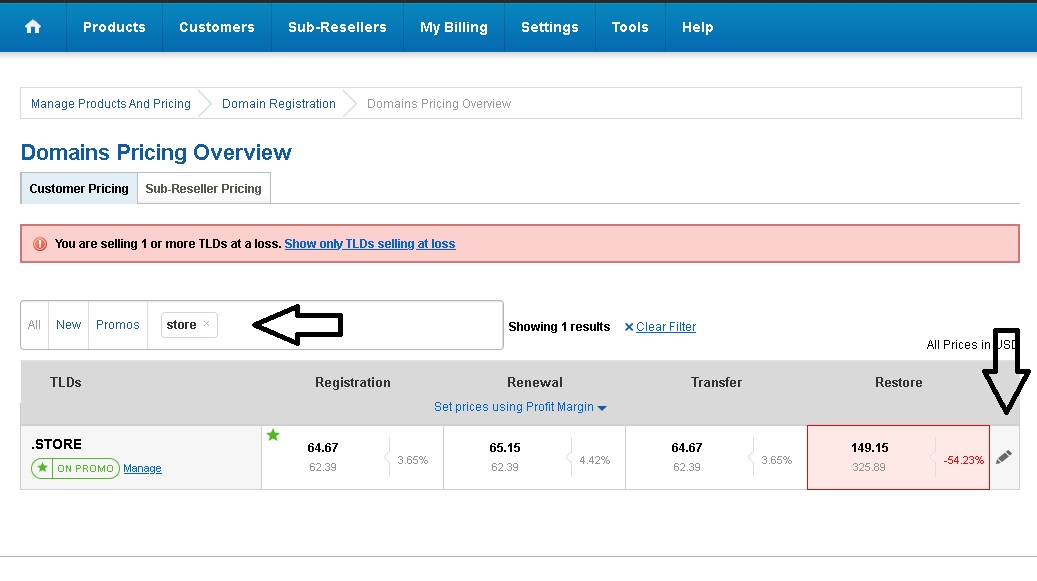
- Type the extension (TLD) in the search box.
- Click the pencil icon to edit.
- Enter the prices for registration, renewal, transfer and restoration.
- Press Update prices.
How to change the price of Domain Protect+ and Premium DNS
- Go to Settings → Manage Products and Prices.
- Select Domain Registration.
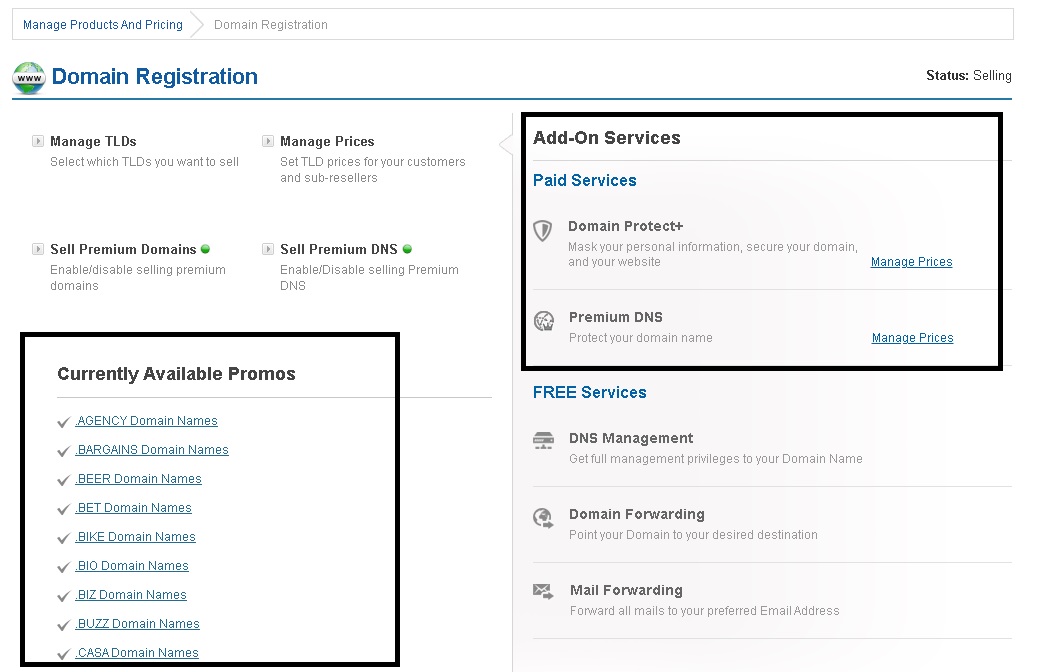
- In the Paid Services section locate Domain Protect+ and Premium DNS.
- Click Manage prices, set the desired value and press Update price.
Note: On the left side of the screen you will be able to see the extensions that are currently on promotion.
Update the configuration
After making any price or availability changes, reload the cache so they are reflected in your store:
- Go to Tools → Reload the Cache of the Supersite and Partnersite.
- Select All supersite and PartnerSite settings.
Done! Your domain prices are now updated and optimized.
Recommendation: Frequently review purchase prices and offers. Domain costs can vary and keeping your margins up to date helps you maximize your profits.